Cancelling & Refunding Bills
MetahOS records who cancelled a bill, who refunded it and when, and shows that information on the bill lists, the payments report and the printed bill. Pharmacy staff can also cancel an unpaid pharmacy bill and return its medicines to stock.
At a glance
fa-money | Bill raised | The bill is created and may be paid.
fa-ban | Cancel | The canceller and time are stored on the bill.
fa-undo | Refund | Each refund payment records who made it and when.
fa-list | Bill lists | Cancelled By and Refunded By columns, and a Refunded filter.
fa-print | Printout | Status, cancellation and refund details print on the bill.
In the bill lists
Bill Management → All Bills has two new columns:
- Cancelled By — the person who cancelled the bill, with the date and time underneath. Shows
-if the bill is not cancelled. - Refunded By — the person who made the most recent refund on the bill, with its date and time.
A cancelled bill now shows the Amount, Paid Amount, Contract Amount and Receivable it had before it was cancelled, rather than zero, so you can see what was cancelled.
The Refunded filter
The bill status filter has a Refunded option. The full list is: All Bills, Paid Bills, Unpaid Bills, Pending Bills, Refunds, Refunded and Cancelled Bills. The same filter is on Pharmacy → Dispatched (beta) and Pharmacy → Dispensed.
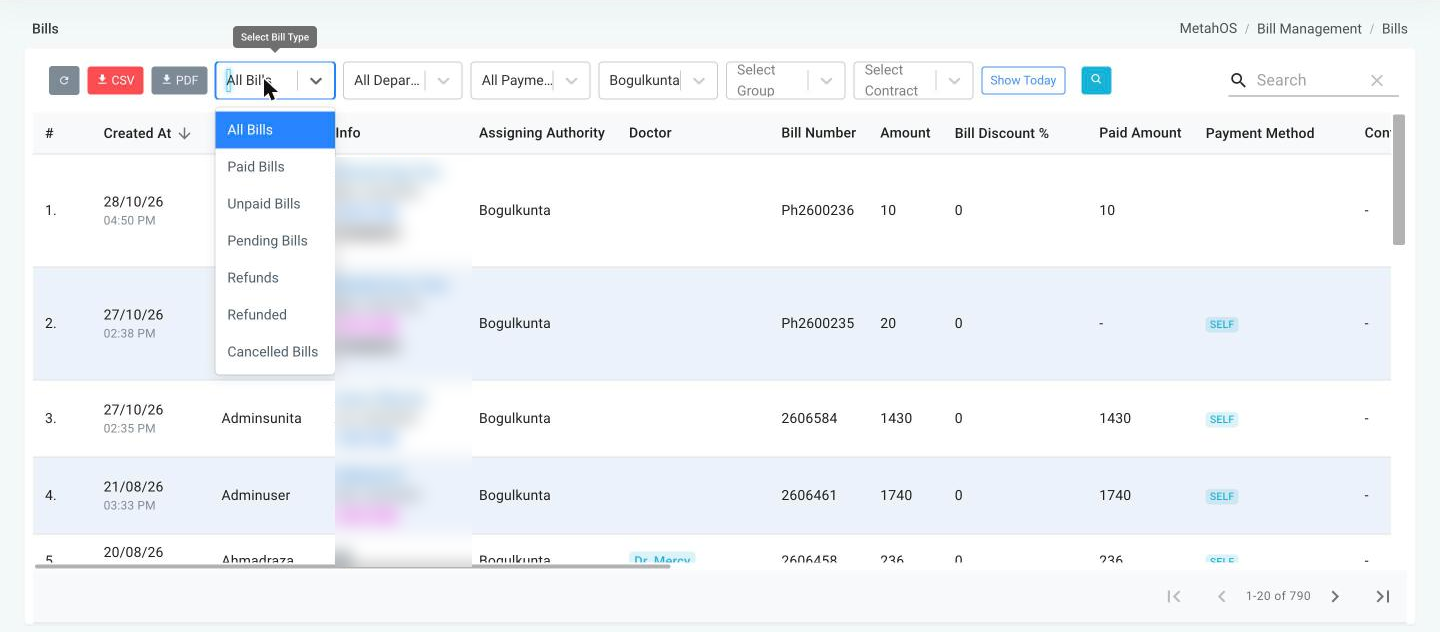
| Filter | Shows |
|---|---|
| Refunds | Bills with a refund due — money still to be returned to the patient. |
| Refunded | Bills that have been refunded in full: at least one refund was made and nothing remains paid. |
A fully refunded bill no longer appears under Paid Bills or Unpaid Bills, and OP bills show a REFUNDED badge.
On the payments report
The payments report (Bill Management → Payments and Pharmacy → Pharmacy Transactions) has Cancellation Details and Refund Details columns, and both appear in its CSV and PDF exports. See Payments Report.
Cancellation details are kept
- The canceller and time are saved when the bill is first cancelled. Cancelling it again does not overwrite them.
- Restore Bill (available to roles that can cancel bills) clears them, since the bill is no longer cancelled.
Bills cancelled before v1.0.81
For bills cancelled before this release, Cancelled By shows the last person who edited the bill, which may not be the person who cancelled it, and the pre-cancellation amounts show -.
Cancelling an unpaid pharmacy bill
A pharmacy bill that has not been paid can be cancelled by roles with the permission to cancel unpaid pharmacy bills (under Pharmacy → Miscellaneous in the Role editor).
The Cancel Bill button appears on Pharmacy → Dispatched (beta), Pharmacy → Dispensed, and on pharmacy rows in Bill Management → All Bills, when all of these are true:
- The bill is a pharmacy bill and is not already cancelled.
- It is not an inpatient pharmacy bill.
- Its status is Unpaid.
To cancel, enter a Reason for Cancelling Bill — it is required — and confirm.
Medicines go back to stock
Cancelling a dispensed pharmacy bill returns the dispensed medicines to inventory, less anything already returned. Earlier versions could not cancel a dispensed pharmacy bill at all.
When a pharmacy bill cannot be cancelled
The reason is shown in the message:
| Message | Why |
|---|---|
| Inpatient pharmacy bills cannot be cancelled | The bill belongs to an inpatient admission; this permission covers outpatient pharmacy bills only. |
| Only unpaid bills can be cancelled… | The bill is paid, part-paid, due a refund, refunded or not yet billed. |
| Bill was paid before it could be cancelled | A payment arrived while you were cancelling. |
| Bill is already cancelled | Someone else cancelled it first. |
After cancelling
- A cancelled pharmacy bill can no longer be dispensed, edited or returned against.
- It cannot be restored, because its medicines have already gone back to stock.
- If a cancellation is interrupted part-way, the bill reports Bill cancellation is incomplete, cancel the bill again. Cancelling it again finishes the job.